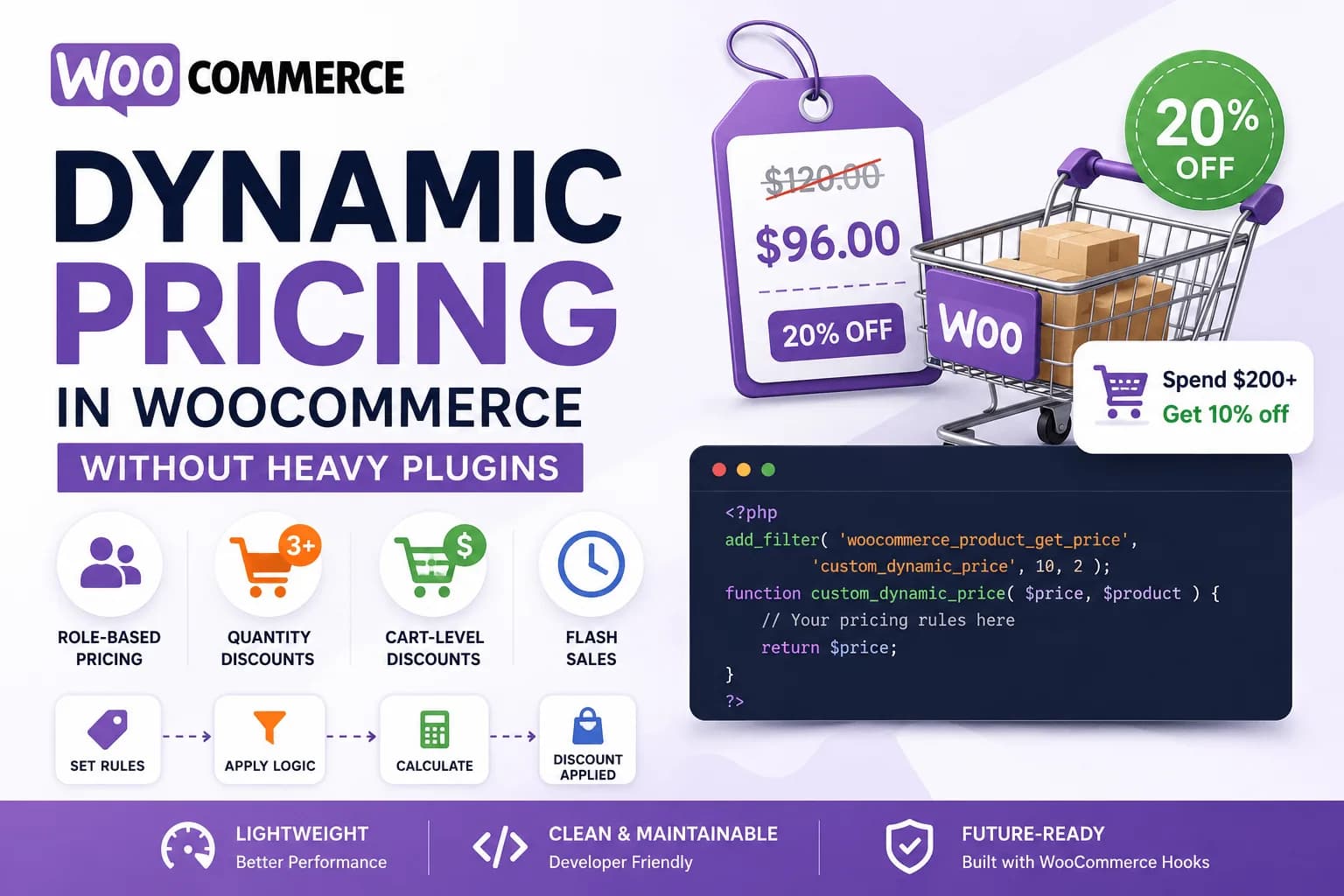
When developers need to implement dynamic pricing in WooCommerce, the first solution that usually comes to mind is installing a pricing plugin. After a quick search, you'll find dozens of plugins promising everything from wholesale pricing and quantity discounts to role-based pricing, seasonal promotions, and advanced pricing rules.
While these plugins can be useful, they often introduce a level of complexity that many stores simply don't need.
A store that only requires a 10% discount for wholesale customers or a quantity discount for bulk purchases doesn't necessarily benefit from a plugin containing hundreds of configuration options, database tables, background processes, and features that will never be used. Besides increasing maintenance overhead, every additional plugin also becomes another dependency that must remain compatible with future WooCommerce and WordPress updates.
Fortunately, WooCommerce was designed to be highly extensible. Its pricing system exposes numerous hooks and filters that allow developers to intercept product prices, modify cart totals, and apply custom business rules without touching the WooCommerce core.
For many real-world projects, a few well-written functions inside a custom plugin are all that's needed to implement flexible pricing while keeping the store lightweight, maintainable, and easy to understand.
In this guide, we'll build several common pricing strategies—including customer role discounts, quantity breaks, cart-level discounts, category-based pricing, and scheduled promotions—using WooCommerce's native hook system. Along the way, we'll also discuss how WooCommerce calculates prices internally, which hooks are best suited for different scenarios, performance considerations, caching challenges, and development best practices.
By the end of this article, you'll have a solid understanding of how WooCommerce's pricing engine works and how to build production-ready pricing rules without relying on heavyweight plugins.
Why Build Dynamic Pricing Without a Plugin?
There is nothing inherently wrong with pricing plugins. Many are well-built, actively maintained, and suitable for stores with complex pricing requirements.
However, for developers building custom WooCommerce solutions, writing pricing logic directly in code often provides significant advantages.
Better Performance
Large pricing plugins typically register dozens of hooks throughout the WooCommerce lifecycle. They evaluate every configured pricing rule during product display, cart calculations, checkout, and order creation—even if only a small subset of features is being used.
Custom code performs only the calculations you actually need.
Instead of loading an entire pricing engine, your store executes a few lightweight functions that solve a specific business problem.
For high-traffic stores or websites with thousands of products, reducing unnecessary processing can contribute to better overall performance.
Cleaner Architecture
Every plugin introduces another dependency into your project.
Over time, WooCommerce websites often accumulate plugins that overlap in functionality, making maintenance increasingly difficult.
When pricing rules live inside a custom plugin or your project's codebase, they're version-controlled alongside the rest of your application. Developers can easily review changes, test updates, and understand exactly how pricing is being calculated.
Greater Flexibility
Most pricing plugins are designed around generic business scenarios.
Real-world businesses rarely fit perfectly into those predefined options.
Imagine implementing a rule like:
Wholesale customers receive 15% off.
VIP customers receive 20% off.
Clearance products are excluded.
Discounts don't stack with coupons.
Orders above $500 receive free shipping instead of percentage discounts.
Promotions are active only during business hours.
While some plugins can support this level of complexity, configuring these rules often becomes difficult to maintain.
With custom development, these business rules become simple PHP conditions that are easy to read, modify, and extend.
Lower Long-Term Cost
Premium WooCommerce pricing plugins commonly require annual licenses.
For agencies managing multiple client stores, recurring licensing costs can quickly add up.
If the required pricing logic is relatively straightforward, implementing it once in custom code may provide a better long-term return than maintaining another commercial dependency.
When a Plugin Is Still the Better Choice
Custom development isn't always the right answer.
If store managers need to create, edit, and disable pricing rules themselves without involving a developer, then a dedicated pricing plugin with an administrative interface may be the better solution.
Similarly, businesses running dozens of overlapping promotions that change every week often benefit from a visual rule builder rather than code.
The goal isn't to avoid plugins entirely.
It's about choosing the right tool for the problem you're solving.
Understanding How WooCommerce Calculates Prices
Before writing any pricing rules, it's important to understand how WooCommerce determines the price displayed to customers.
Many developers jump directly into code without fully understanding the pricing lifecycle, which often leads to unexpected behaviour such as incorrect cart totals, inconsistent product prices, or discounts being applied multiple times.
A simplified WooCommerce pricing workflow looks like this:
Customer Visits Store
        │
        ▼
WooCommerce Loads Product
        │
        ▼
Product Price Retrieved
        │
        ▼
Price Filters Applied
        │
        ▼
Product Displayed
        │
        ▼
Customer Adds Product to Cart
        │
        ▼
Cart Totals Calculated
        │
        ▼
Discounts & Fees Applied
        │
        ▼
Checkout
        │
        ▼
Order Created
Each stage of this workflow exposes different hooks that allow developers to customize pricing.
For example:
Product-level discounts should be applied while WooCommerce retrieves the product price.
Quantity discounts are calculated after products have been added to the cart.
Order-level discounts belong during cart total calculations.
Display-only changes should never modify the actual product price.
Choosing the wrong hook can produce inconsistent pricing between product pages, the shopping cart, checkout, and order confirmation emails.
Understanding where each hook executes is one of the most important concepts in WooCommerce development.
Choosing the Right Hook for the Job
WooCommerce provides several hooks for modifying prices, but each one serves a different purpose. Selecting the appropriate hook ensures your pricing rules are applied at the correct stage of the purchase journey.
woocommerce_product_get_price
Use this filter when you need to modify a product's price before it's displayed to customers or added to the cart. It's ideal for implementing role-based pricing, category discounts, or store-wide promotional pricing.
woocommerce_product_variation_get_price
Variable products calculate prices for each variation independently. If your store sells products with attributes such as size, color, or material, use this hook to adjust the price of individual variations rather than the parent product.
woocommerce_before_calculate_totals
This action runs after products have been added to the cart and WooCommerce begins calculating totals. It's the preferred hook for implementing quantity-based discounts, bulk pricing, or any pricing logic that depends on cart contents.
woocommerce_cart_calculate_fees
Use this action when you need to apply discounts or additional charges to the entire cart instead of modifying individual product prices. It's commonly used for cart threshold discounts, handling fees, gift wrapping charges, or promotional deductions.
woocommerce_get_price_html
This filter changes how prices are displayed without affecting the underlying product price. It's useful for showing the original price alongside a discounted price, adding promotional labels, or customizing the HTML output shown on the storefront.
As we progress through this guide, you'll see why each pricing strategy belongs in a different stage of the WooCommerce lifecycle. Understanding when these hooks execute will help you build pricing rules that remain consistent across product pages, the shopping cart, checkout, and order confirmation emails.
Where Should Your Pricing Logic Live?
One of the biggest mistakes developers make is scattering pricing rules throughout a project's functions.php file.
While this may work for a single discount, it quickly becomes difficult to maintain as new requirements are introduced.
There are generally two recommended approaches.
Option 1: A Custom Plugin (Recommended)
For production websites, a custom plugin is almost always the better choice.
It keeps business logic independent of the active theme, survives theme updates, and makes the functionality reusable across multiple projects.
A minimal plugin structure might look like this:
<?php
/**
 * Plugin Name: Custom Dynamic Pricing
 * Description: Custom pricing rules for WooCommerce.
 * Version: 1.0.0
 */

if ( ! defined( 'ABSPATH' ) ) {
    exit;
}

// Pricing rules will be added here.
As the project grows, this plugin can be expanded into a more organized architecture using classes, namespaces, and separate files for different pricing strategies.
We'll discuss this architecture later in the article.
Option 2: Child Theme Functions
For smaller websites or quick client customizations, placing pricing logic inside a child theme's functions.php file is acceptable.
However, it's important to remember that pricing is business logic—not presentation.
If the theme changes in the future, those pricing rules disappear with it.
For long-term projects, a custom plugin remains the better architectural choice.
Planning Your Pricing Rules Before Writing Code
One mistake developers often make is immediately writing conditions without first designing the pricing strategy.
Before opening your code editor, ask yourself:
Should multiple discounts stack together?
Should products already on sale receive additional discounts?
Should coupons work alongside dynamic pricing?
Should discounts apply to variable products?
Should guest users receive the same pricing as logged-in customers?
Are certain product categories excluded?
Should discounts appear on product pages or only during checkout?
Answering these questions early prevents conflicts later and makes your pricing logic much easier to maintain.
A well-planned pricing strategy is often more valuable than the code itself.
Implementing Common Dynamic Pricing Strategies
Now that we understand how WooCommerce calculates prices and which hooks are responsible for different stages of the pricing lifecycle, it's time to start implementing some real-world pricing rules.
One of the biggest advantages of WooCommerce's hook system is that you can build highly customized pricing strategies without modifying core files or installing feature-heavy plugins. Each pricing rule can be implemented independently, making your code easier to understand, maintain, and extend as business requirements evolve.
Throughout this section, we'll look at some of the most common pricing scenarios found in real WooCommerce stores and implement them using WooCommerce's native hooks.
Scenario 1: Category-Based Discounts
Many online stores run promotions that apply only to specific product categories.
For example:
15% off all Clearance products
20% off Winter Collection
10% off Accessories
Seasonal discounts on selected categories
Since this pricing depends only on the product being viewed, the woocommerce_product_get_price filter is the ideal place to implement it.
add_filter(
    'woocommerce_product_get_price',
    'ag_category_discount',
    10,
    2
);

add_filter(
    'woocommerce_product_get_sale_price',
    'ag_category_discount',
    10,
    2
);

function ag_category_discount( $price, $product ) {

    if ( has_term( 'clearance', 'product_cat', $product->get_id() ) ) {

        $price *= 0.85; // 15% discount

    }

    return $price;

}
This filter executes before WooCommerce displays the product price, ensuring that customers see the discounted price throughout the shopping experience.
Because the discount is calculated before rendering, it also works consistently across product archives, single product pages, related products, and other areas where WooCommerce retrieves product pricing.
When Should You Use This Approach?
Category-based pricing works well for promotions that apply equally to every product within a category.
Examples include:
If your pricing depends only on the product itself—not the customer or the shopping cart—this is usually the cleanest solution.
Scenario 2: Customer Role Pricing
Many WooCommerce stores serve different customer types.
Examples include:
Retail customers
Wholesale buyers
VIP members
Distributors
Corporate accounts
Instead of maintaining separate stores, WooCommerce can display different prices based on the logged-in user's role.
add_filter(
    'woocommerce_product_get_price',
    'ag_wholesale_pricing',
    10,
    2
);

add_filter(
    'woocommerce_product_get_sale_price',
    'ag_wholesale_pricing',
    10,
    2
);

function ag_wholesale_pricing( $price, $product ) {

    if (
        is_user_logged_in() &&
        current_user_can( 'wholesale_customer' )
    ) {

        $price *= 0.80;

    }

    return $price;

}
In this example, users with the wholesale_customer role automatically receive a 20% discount whenever WooCommerce retrieves a product's price.
Because the pricing rule is centralized inside a filter, there's no need to duplicate pricing logic throughout templates or custom queries.
Creating a Wholesale Role
If your website doesn't already have a wholesale plugin, you can register a custom role during plugin activation using WordPress's built-in add_role() function.
Once created, administrators can assign this role through the standard Users screen without requiring any additional tools.
This keeps the implementation lightweight while still giving store administrators full control over customer access.
Scenario 3: Supporting Variable Products
One mistake developers often make is assuming that filtering woocommerce_product_get_price automatically covers every product type.
It doesn't.
Variable products calculate pricing differently because each variation maintains its own price.
For example:
Small T-Shirt — $20
Medium T-Shirt — $22
Large T-Shirt — $25
Each variation retrieves its price independently.
WooCommerce provides a dedicated filter for this purpose.
add_filter(
    'woocommerce_product_variation_get_price',
    'ag_variable_product_discount',
    10,
    2
);

function ag_variable_product_discount(
    $price,
    $variation
) {

    if (
        is_user_logged_in() &&
        current_user_can( 'wholesale_customer' )
    ) {

        $price *= 0.80;

    }

    return $price;

}
Without this additional filter, customers might see discounted prices for simple products while variable products continue displaying their original prices.
Whenever you're implementing product-level pricing, always verify that variable products behave exactly as expected.
Scenario 4: Quantity-Based Discounts
Many businesses reward customers for purchasing larger quantities.
Common examples include:
Buy 5 → Save 10%
Buy 10 → Save 20%
Buy 25 → Save 30%
Unlike category discounts, quantity discounts depend on information that isn't available until products have been added to the shopping cart.
For this reason, WooCommerce provides the woocommerce_before_calculate_totals action.
add_action(
    'woocommerce_before_calculate_totals',
    'ag_quantity_discount'
);

function ag_quantity_discount( $cart ) {

    if (
        is_admin() &&
        ! defined( 'DOING_AJAX' )
    ) {
        return;
    }

    foreach ( $cart->get_cart() as $cart_item ) {

        $quantity = $cart_item['quantity'];

        $product = $cart_item['data'];

        $price = $product->get_regular_price();

        if ( $quantity >= 10 ) {

            $product->set_price(
                $price * 0.80
            );

        } elseif ( $quantity >= 5 ) {

            $product->set_price(
                $price * 0.90
            );

        }

    }

}
Rather than changing the product price permanently, this hook adjusts the price only during the current cart calculation.
As quantities change, WooCommerce automatically recalculates totals and reapplies the correct pricing.
Why Not Use Product Price Filters?
Product filters don't know how many units the customer intends to purchase.
At the time the product page loads, WooCommerce has no knowledge of the future cart contents.
That's why quantity-based discounts belong inside the cart calculation stage instead of the product pricing stage.
Choosing the correct hook ensures that pricing remains accurate throughout the shopping experience.
Scenario 5: Cart Threshold Discounts
Sometimes businesses don't want to discount individual products.
Instead, they want to reward customers who spend above a certain amount.
For example:
These rules apply to the entire shopping cart rather than individual products.
WooCommerce's woocommerce_cart_calculate_fees action is designed specifically for this purpose.
add_action(
    'woocommerce_cart_calculate_fees',
    'ag_cart_discount'
);

function ag_cart_discount( $cart ) {

    if (
        is_admin() &&
        ! defined( 'DOING_AJAX' )
    ) {
        return;
    }

    $subtotal = $cart->get_subtotal();

    if ( $subtotal >= 200 ) {

        $discount = $subtotal * 0.10;

        $cart->add_fee(
            'Order Discount',
            -$discount
        );

    }

}
Using a negative fee provides customers with a clear line item showing the discount, making pricing more transparent during checkout.
It also avoids modifying each individual product price, which simplifies reporting and debugging.
Scenario 6: Time-Limited Promotions
Many stores run temporary campaigns without manually updating sale prices for every product.
Examples include:
Friday Flash Sale
Weekend Discounts
Black Friday Promotions
End-of-Month Clearance
These rules can be implemented by combining WooCommerce pricing filters with WordPress's date functions.
add_filter(
    'woocommerce_product_get_price',
    'ag_friday_flash_sale',
    10,
    2
);

function ag_friday_flash_sale(
    $price,
    $product
) {

    if ( current_time( 'N' ) == 5 ) {

        $price *= 0.80;

    }

    return $price;

}
The current_time() function respects the timezone configured in WordPress, ensuring that promotions begin and end according to your store's local settings rather than the server's timezone.
Sale Prices and Dynamic Pricing
One important consideration when implementing custom pricing is deciding how it should interact with products that are already on sale.
For example:
Should a wholesale customer receive an additional discount on sale items?
Should flash sale pricing replace existing sale prices?
Should category discounts apply only to regular-priced products?
There isn't a universal answer—each business has its own pricing strategy.
Whatever approach you choose, make sure it's applied consistently throughout your pricing logic. Unexpected discount stacking can reduce profit margins and create confusion for both customers and store administrators.
Building Production-Ready Dynamic Pricing Solutions
By this point, we've implemented several common pricing strategies using WooCommerce's built-in hooks. While these examples work well individually, production stores often require multiple pricing rules to work together without causing conflicts or unexpected behavior.
As your pricing logic grows, it's important to think beyond simply making the code work. Performance, maintainability, debugging, and future scalability become just as important as the pricing rules themselves.
In this final section, we'll look at the practices that help keep custom pricing solutions reliable in real-world WooCommerce projects.
Combining Multiple Pricing Rules
Real businesses rarely rely on a single pricing rule.
Consider the following example:
Wholesale customers receive 20% off.
Clearance products receive 15% off.
Orders over $500 receive an additional discount.
Weekend promotions apply to selected categories.
Products already on sale should not receive further discounts.
If each pricing rule runs independently without considering the others, customers may receive multiple overlapping discounts, leading to incorrect pricing and reduced profit margins.
Before implementing multiple pricing rules, define how they should interact.
For example:
Wholesale pricing overrides category discounts.
Sale products are excluded from all additional discounts.
Cart discounts are applied after product-level discounts.
Promotional discounts cannot be combined with coupons.
Establishing these rules early makes your pricing logic much easier to understand and maintain.
Preventing Rule Conflicts
As pricing rules become more complex, it's essential to prevent multiple conditions from modifying the same product price unexpectedly.
Instead of nesting dozens of if statements inside one large function, keep each pricing rule focused on a single responsibility.
For example:
if ( $product->is_on_sale() ) {
    return $price;
}

if ( current_user_can( 'wholesale_customer' ) ) {
    return $price * 0.80;
}

if ( has_term( 'clearance', 'product_cat', $product->get_id() ) ) {
    return $price * 0.85;
}

return $price;
By returning early when conditions are met, the pricing flow becomes easier to read and reduces the chance of unintended discount stacking.
Another good practice is documenting the priority of each pricing rule so future developers understand which rules take precedence.
Handling Cached Pages
Caching can significantly improve WooCommerce performance, but it also introduces challenges for dynamic pricing.
Imagine a store where wholesale customers receive lower prices after logging in.
If the product page is fully cached, a wholesale customer could see retail prices—or worse, retail customers might see wholesale pricing if cached content is shared incorrectly.
When implementing dynamic pricing, consider the following:
Exclude logged-in users from full-page caching.
Ensure cart and checkout pages remain uncached.
Use AJAX for highly personalized pricing when necessary.
Test pricing across different user roles and browser sessions.
Always verify pricing using both guest and logged-in accounts after making caching changes.
Performance Best Practices
Dynamic pricing code runs frequently.
Every product displayed in the shop, every cart calculation, and every checkout request may execute your pricing logic.
Poorly optimized code can noticeably slow down a store.
Some practical recommendations include:
Avoid Expensive Database Queries
Don't perform custom database queries inside pricing hooks unless absolutely necessary.
Remember that a shop page displaying twenty-four products could execute your pricing function twenty-four times.
Minimize Taxonomy Lookups
Functions such as has_term() are convenient, but repeatedly checking taxonomy relationships inside large product loops can become expensive.
If the same information is needed multiple times during a request, consider caching the result in memory.
Keep Pricing Logic Lightweight
Pricing hooks should focus solely on pricing.
Avoid:
The faster your pricing functions execute, the more responsive your store will remain.
Test Large Catalogs
A pricing rule that performs well with twenty products may behave very differently on a store containing fifty thousand products.
Always test performance using realistic product counts and customer scenarios before deploying changes.
Organizing Pricing Logic
Small stores may only require one or two pricing rules.
Larger WooCommerce projects often contain dozens.
Instead of placing everything inside functions.php, consider organizing pricing logic into dedicated classes.
For example:
class DynamicPricing {

    public function init() {

        add_filter(
            'woocommerce_product_get_price',
            [ $this, 'apply_role_discount' ],
            10,
            2
        );

    }

    public function apply_role_discount( $price, $product ) {

        if (
            current_user_can( 'wholesale_customer' )
        ) {

            return $price * 0.80;

        }

        return $price;

    }

}
As your project grows, each pricing strategy can live in its own class or service, making the codebase easier to navigate and maintain.
This also simplifies testing and future enhancements.
WooCommerce HPOS Compatibility
WooCommerce's High-Performance Order Storage (HPOS) introduces a new way of storing orders, replacing the traditional post-based structure.
Fortunately, the pricing techniques covered in this guide remain compatible with HPOS because they modify prices before the order is created.
Since these hooks operate during product and cart calculations rather than directly interacting with order storage, migrating to HPOS generally doesn't require changes to your pricing logic.
However, if your custom solution reads or writes order data after checkout, always verify that those components are compatible with HPOS before deployment.
Debugging Pricing Issues
When prices don't appear as expected, the problem is often caused by multiple hooks modifying the same value.
A few debugging techniques can save significant time.
Check whether another plugin is also changing prices.
Temporarily disable pricing-related plugins and test again.
Review the hook priority being used.
Two callbacks attached to the same hook may execute in an unexpected order.
Inspect cart calculations using WooCommerce's built-in debugging tools and verify that discounts are applied only once.
Finally, test every pricing rule across:
Consistency across the entire purchasing journey is essential.
Testing Before Deployment
Before releasing dynamic pricing to a live store, verify every pricing scenario carefully.
Use the following checklist as a final review.
Test as both a guest and a logged-in customer.
Verify role-based pricing across different user accounts.
Test simple and variable products.
Confirm pricing updates correctly when cart quantities change.
Ensure discounts appear correctly during checkout.
Verify order totals match checkout totals.
Test interactions with coupons and existing sale prices.
Check tax calculations for both inclusive and exclusive tax configurations.
Confirm pricing remains correct after enabling caching.
Spending time testing edge cases now will prevent costly pricing errors later.
Best Practices
As your WooCommerce projects become more sophisticated, following a few core principles will make your pricing logic easier to maintain over time.
Keep pricing rules inside a custom plugin rather than your theme whenever possible.
Separate different pricing strategies into dedicated functions or classes.
Avoid modifying WooCommerce core files.
Keep business rules well documented.
Use clear, descriptive function names.
Test pricing whenever WooCommerce is updated.
Review pricing logic whenever new plugins introduce additional discounts or promotions.
Following these practices results in code that's easier to understand, simpler to debug, and more resilient to future changes.
When a Pricing Plugin Is Still the Better Option
Although custom development offers maximum flexibility, there are situations where a dedicated pricing plugin remains the better choice.
Consider using a plugin when:
Store managers need to create or modify pricing rules without developer assistance.
Pricing rules change frequently.
Promotions are managed by non-technical staff.
Marketing teams require a visual interface for creating campaigns.
Complex promotional combinations need to be configured quickly.
In these cases, a mature pricing plugin can reduce administrative overhead and provide a more user-friendly experience.
The key is choosing the approach that best fits the store's operational needs rather than assuming one solution works for every project.
Final Thoughts
WooCommerce's hook system provides everything needed to build powerful and flexible pricing solutions without relying on heavyweight plugins.
Whether you're implementing wholesale pricing, quantity discounts, cart-level promotions, or seasonal campaigns, choosing the correct hook for each stage of the pricing lifecycle is the foundation of a reliable implementation.
The examples in this guide demonstrate that dynamic pricing doesn't have to mean adding another large plugin to your website. In many cases, a well-structured custom plugin containing a few focused pricing rules is easier to maintain, performs better, and gives you complete control over how your store calculates prices.
As your projects become more advanced, the same principles discussed here—understanding the WooCommerce lifecycle, selecting the right hooks, organizing your code, and thoroughly testing every pricing scenario—will help you build pricing systems that remain scalable, maintainable, and compatible with future WooCommerce updates.
Custom development isn't about avoiding plugins at all costs. It's about choosing the simplest solution that meets the business requirements while keeping your WooCommerce store fast, reliable, and easy to maintain.