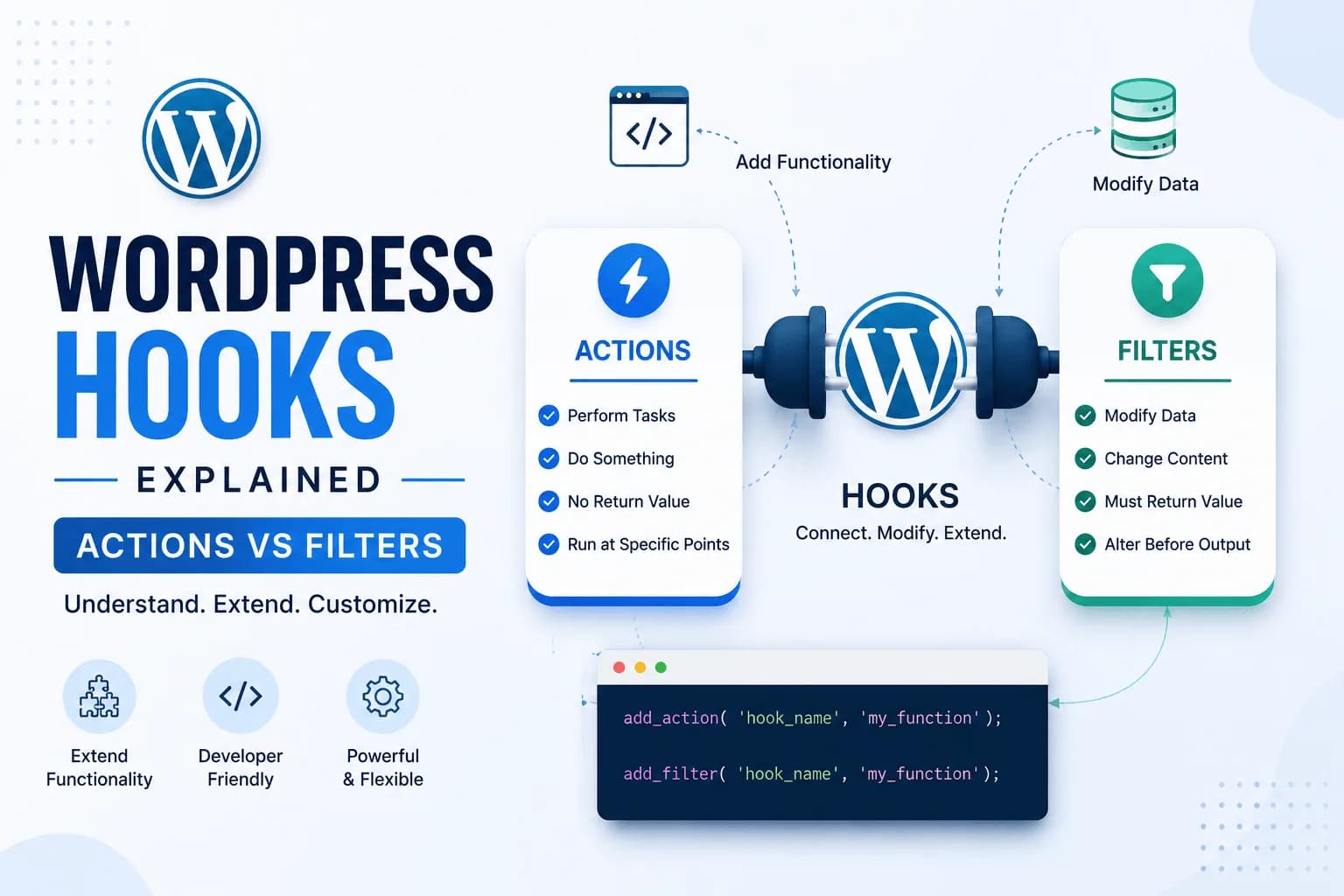
One of the reasons WordPress has become the world's most popular content management system is its flexibility. Developers can extend functionality, customize behavior, and integrate new features without modifying WordPress core files.
The foundation of this flexibility is the WordPress Hooks API.
If you've ever built a custom plugin, customized a theme, or explored WordPress development, you've likely encountered hooks. Understanding how they work is one of the most important skills for any WordPress developer.
In this guide, I'll explain what WordPress hooks are, the difference between Actions and Filters, practical examples of each, and best practices for writing maintainable code.
What Are WordPress Hooks?
WordPress hooks allow developers to "hook into" the execution of WordPress and either perform an action or modify existing data.
Think of hooks as predefined points in WordPress where your custom code can interact with the system.
Instead of editing core files—which makes updates difficult—you simply attach your code to an existing hook.
This approach keeps your customizations secure, maintainable, and update-friendly.
Why WordPress Hooks Matter
Hooks make WordPress incredibly extensible.
Using hooks, developers can:
Without hooks, almost every customization would require modifying WordPress core files.
Types of WordPress Hooks
There are two primary types of hooks:
Although they appear similar, they serve different purposes.
Understanding this distinction is essential.
What Are Actions?
Actions allow developers to execute custom code at specific points during WordPress execution.
Actions perform tasks but do not return modified data.
Examples include:
Sending an email
Creating custom database entries
Logging activity
Loading CSS or JavaScript
Registering custom post types
Example:
add_action('wp_footer', 'custom_footer_message');

function custom_footer_message() {
    echo '<p>Thank you for visiting our website.</p>';
}
In this example:
The Action performs an operation but doesn't modify existing content.
Common WordPress Action Hooks
Some of the most frequently used Action hooks include:
Each Action runs at a specific stage of WordPress execution.
What Are Filters?
Filters allow developers to modify existing data before it is displayed or stored.
Unlike Actions, Filters must return a value.
Examples include:
Example:
add_filter('the_title', 'custom_title');

function custom_title($title) {
    return '⭐ ' . $title;
}
Every post title will now include a star before being displayed.
Instead of performing a task, the Filter modifies existing data.
Common WordPress Filter Hooks
Popular Filter hooks include:
the_content
the_title
excerpt_length
body_class
widget_title
comment_text
upload_mimes
Filters make it possible to customize WordPress without rewriting existing functionality.
Actions vs Filters
Understanding the difference is easier when viewed side by side.
Actions
Actions allow you to execute custom code at specific points during WordPress execution. They are designed to perform a task without changing existing data.
Key characteristics of Action hooks:
Execute custom functionality.
Trigger events at predefined points.
Do not require a return value.
Commonly used to enqueue scripts, register custom post types, send emails, or perform database operations.
Filters
Filters are used to modify existing data before it is displayed or stored. Unlike Actions, Filters must always return the modified value.
Key characteristics of Filter hooks:
Modify existing data.
Transform content before output.
Always return a value.
Commonly used to customize post titles, excerpts, content, email text, and WooCommerce output.
A simple way to remember it:
Actions do something.
Filters change something.
How Hooks Work
A simplified workflow looks like this:
WordPress Executes
        ↓
   Hook is Reached
        ↓
Custom Function Runs
        ↓
Continue Execution
For Filters:
Original Data
      ↓
Filter Hook
      ↓
Modified Data
      ↓
Displayed to User
This event-driven architecture makes WordPress highly extensible.
Practical Example 1: Enqueue Stylesheets
Instead of adding CSS manually, use an Action.
function theme_styles() {
    wp_enqueue_style('main-style', get_stylesheet_uri());
}

add_action('wp_enqueue_scripts', 'theme_styles');
This ensures styles are loaded correctly and avoids conflicts.
Practical Example 2: Modify the Excerpt Length
A Filter makes this straightforward.
function custom_excerpt_length() {
    return 25;
}

add_filter('excerpt_length', 'custom_excerpt_length');
Now every excerpt contains 25 words.
Practical Example 3: Add Custom Content After Blog Posts
You can combine Actions and Filters depending on the requirement.
For example, a Filter can append content to every blog post.
function custom_footer_content($content) {

    if (is_single()) {
        $content .= '<p>Thank you for reading.</p>';
    }

    return $content;
}

add_filter('the_content', 'custom_footer_content');
No template modification is required.
Best Practices
When working with WordPress hooks:
Use Child Themes
Avoid editing parent theme files directly.
Prefix Custom Functions
Instead of:
custom_function()
Use:
araib_custom_function()
to avoid conflicts.
Keep Functions Small
One function should perform one task.
Use Proper Priorities
Hooks accept priorities.
Example:
add_action('init', 'custom_function', 20);
Lower numbers execute first.
Avoid Excessive Hooks
Too many unnecessary hooks can make projects harder to maintain.
Use them strategically.
Common Mistakes
Developers often encounter these issues:
Forgetting to Return Data
Filters must return the modified value.
Using an Action Instead of a Filter
Choose the appropriate hook for the task.
Hooking Too Early
Some hooks execute before required resources are available.
Always verify execution order.
Editing Core Files
Never modify WordPress core files.
Hooks exist specifically to avoid this.
Real-World Examples
WordPress hooks are used extensively in modern development.
Examples include:
WooCommerce checkout customization
Contact Form integrations
API requests
Payment gateway development
Custom plugin development
Analytics tracking
User registration workflows
AI-powered automation
Nearly every major WordPress plugin relies heavily on Actions and Filters.
Final Thoughts
WordPress hooks are one of the platform's most powerful features. They allow developers to extend functionality, customize behavior, and build scalable solutions without modifying core files.
Understanding the difference between Actions and Filters is an essential step in becoming a more confident WordPress developer.
As you begin building custom plugins, themes, and integrations, you'll find yourself using hooks in almost every project. By following best practices and choosing the right hook for the right task, you can create cleaner, more maintainable, and future-proof WordPress applications.