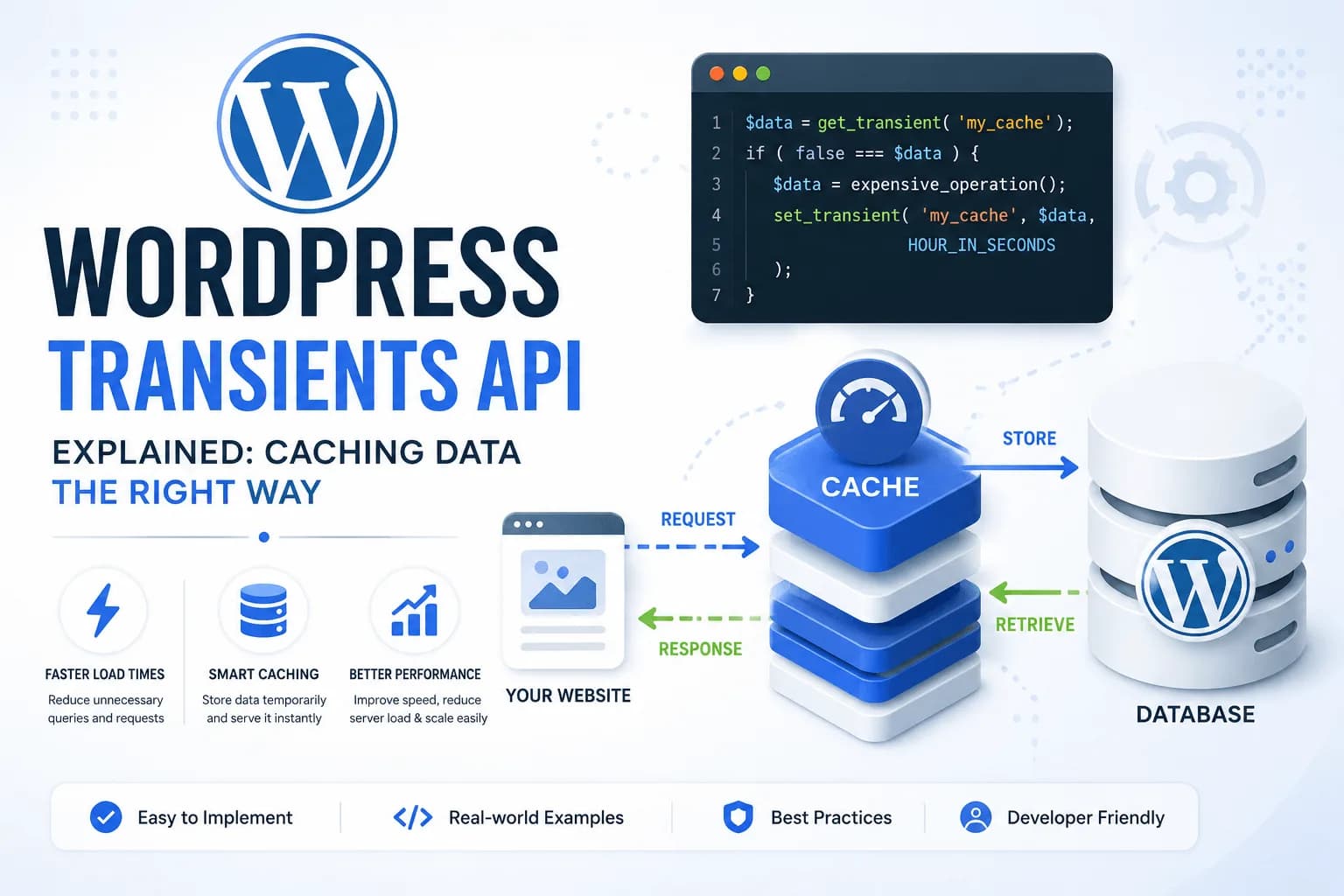
Performance has become one of the most important aspects of modern WordPress development. Whether you're building a business website, an eCommerce store, a membership platform, or a custom plugin, users expect pages to load quickly. Search engines also reward faster websites with better rankings, making performance optimization a technical and business priority.
One of the most common reasons WordPress websites become slow isn't the theme or the hosting provider—it's unnecessary work. Developers often execute the same database queries repeatedly, request identical data from third-party APIs on every page load, or perform expensive calculations that produce the same result every time. While each operation might seem harmless in isolation, their cumulative effect can significantly increase server load and response times.
This is where caching becomes essential.
Instead of generating the same information over and over again, caching allows WordPress to temporarily store the result and reuse it until it needs to be refreshed. By reducing unnecessary processing, caching improves page speed, decreases database activity, and helps websites scale more efficiently under increased traffic.
WordPress provides several caching mechanisms, but one of the most accessible and widely used is the Transients API. It offers developers a simple way to temporarily store data without building a custom caching system from scratch. Whether you're caching complex database queries, API responses, generated reports, or computationally expensive data, the Transients API provides a clean and reliable solution.
In this guide, you'll learn how the WordPress Transients API works, when to use it, when to avoid it, and how to implement it using real-world development examples.
What Is the WordPress Transients API?
The WordPress Transients API is a built-in API that allows developers to store data temporarily with an optional expiration time. Rather than recalculating or retrieving the same information every time a page is requested, you can cache the result and retrieve it instantly until the cache expires.
Think of a transient as a temporary storage container.
When your application needs data, it first checks whether the transient already exists.
If it exists, WordPress immediately returns the cached value.
If it doesn't exist or has expired, your application generates the data again, stores it in a new transient, and returns the fresh result.
This simple workflow can dramatically reduce the number of expensive operations your application performs.
Unlike the Options API, which stores configuration values that generally remain available until manually changed, transients are designed for temporary data. WordPress automatically removes expired transients, allowing your application to regenerate fresh information when needed.
The Transients API is especially useful for data that is expensive to generate but doesn't change frequently, such as:
External API responses
Complex WP_Query results
Product recommendations
Dashboard statistics
Currency exchange rates
Weather information
Generated reports
Because it's part of WordPress core, no additional plugins or libraries are required.
Why Use the Transients API?
Many developers first encounter the Transients API while trying to optimise slow database queries. Although this is one of its primary uses, its benefits extend much further.
Reduce Expensive Database Queries
Imagine a homepage displaying featured products, latest blog posts, top-selling items, and recently viewed content. If every visitor triggers multiple complex queries, the database quickly becomes the bottleneck.
Instead of executing identical queries thousands of times each day, you can cache the results for a reasonable period.
The first visitor performs the work.
Everyone else benefits from the cached result.
Cache External API Responses
Many websites integrate with external services such as:
Weather APIs
Payment gateways
CRM platforms
ERP systems
Marketing tools
AI services
Calling these APIs on every page load is inefficient and may also exceed API rate limits.
By caching responses for 15 minutes, an hour, or even an entire day—depending on how frequently the data changes—you can significantly reduce outbound requests while still keeping information reasonably up to date.
Improve Website Performance
Every database query and HTTP request consumes server resources.
When fewer operations are performed, WordPress spends less time generating each page. The result is:
Faster response times
Lower CPU usage
Reduced database load
Better user experience
Improved scalability
These improvements become even more noticeable on high-traffic websites.
Build More Efficient Plugins
Plugin developers often overlook caching opportunities.
For example, imagine a dashboard widget that calculates statistics across thousands of orders every time an administrator opens the dashboard.
Without caching, that calculation runs repeatedly.
With a transient, the report may only be regenerated once every hour while every subsequent page load retrieves the cached version almost instantly.
This approach provides the same information while significantly reducing server overhead.
How the WordPress Transients API Works
At its core, the Transients API follows a simple workflow.
Your application first attempts to retrieve cached data.
If cached data exists, WordPress returns it immediately.
If no cache exists—or if it has expired—the application performs the required operation, stores the result, and returns the newly generated data.
The lifecycle looks like this:
Application Requests Data
          │
          ▼
Check for Existing Transient
          │
     ┌────┴────┐
     │         │
 Exists?      No
     │         │
     ▼         ▼
Return     Generate Data
Cached         │
Data           ▼
           Store Transient
                 │
                 ▼
            Return Data
This pattern is commonly referred to as the Cache-Aside Pattern and is widely used in software engineering because it keeps application logic straightforward while providing significant performance benefits.
The application only performs expensive work when the cache is unavailable. In all other cases, it simply reads the cached value, resulting in faster response times and reduced server load.
Understanding the Three Core Functions
The Transients API is intentionally simple. In most cases, you'll work with just three functions:
set_transient()
get_transient()
delete_transient()
Understanding when and how to use each one is the foundation of effective caching in WordPress.
set_transient()
This function creates or updates a transient by storing a value under a unique key and optionally assigning an expiration time.
set_transient(
    'featured_products',
    $products,
    HOUR_IN_SECONDS
);
In this example:
featured_products is the transient name.
$products contains the data being cached.
HOUR_IN_SECONDS tells WordPress to automatically expire the cache after one hour.
Choosing an appropriate expiration time is important. Data that changes frequently should use shorter durations, while relatively static information can remain cached for much longer.
get_transient()
This function retrieves a previously stored transient.
$products = get_transient('featured_products');
If the transient exists and hasn't expired, WordPress returns the cached data immediately.
If it doesn't exist, the function returns false, signalling that your application should regenerate the data before caching it again.
This behaviour forms the basis of most caching implementations.
delete_transient()
Sometimes you don't want to wait for the expiration time. For example, if an administrator updates featured products, the existing cache becomes outdated.
In these cases, you can remove the transient manually.
delete_transient('featured_products');
The next request will generate fresh data and recreate the cache.
Manually clearing transients is a best practice whenever cached information changes as a result of user actions, content updates, or synchronisation with external systems.
Implementing the WordPress Transients API in Real Projects
Understanding the theory behind the Transients API is only the first step. The real value comes from knowing where caching makes the biggest difference and how to implement it correctly in production environments.
A common mistake among developers is attempting to cache everything. While caching can significantly improve performance, storing unnecessary data or using inappropriate expiration times can actually create more problems than it solves.
The goal isn't to cache every operation—it's to cache expensive operations that produce the same result for multiple requests.
Let's explore some practical examples you'll encounter while building WordPress websites and plugins.
Choosing the Right Expiration Time
One of the first decisions you'll make when creating a transient is determining how long it should remain valid.
There is no universal expiration period. The ideal duration depends entirely on how frequently the underlying data changes.
For example, if you're displaying weather information that updates every hour, caching it for twelve hours would leave users with outdated information. On the other hand, caching a list of countries for only five minutes would provide little performance benefit because that data rarely changes.
WordPress provides several predefined constants that make expiration times easier to read.
MINUTE_IN_SECONDS
HOUR_IN_SECONDS
DAY_IN_SECONDS
WEEK_IN_SECONDS
MONTH_IN_SECONDS
YEAR_IN_SECONDS
Instead of writing numeric values like 3600, using descriptive constants makes your code much easier to understand.
set_transient(
    'exchange_rates',
    $rates,
    HOUR_IN_SECONDS
);
Likewise, if you're caching a daily report, using DAY_IN_SECONDS makes the intention immediately clear.
set_transient(
    'daily_sales_report',
    $report,
    DAY_IN_SECONDS
);
When selecting an expiration time, ask yourself a simple question:
How long can this data remain unchanged without affecting the user experience?
The answer should guide your caching strategy.
Example 1: Caching an Expensive WP_Query
Large websites often display featured posts, recent articles, popular resources, or custom post listings on multiple pages.
Without caching, WordPress executes the same query repeatedly for every visitor.
Consider a homepage that displays six featured articles.
A straightforward implementation might look like this:
$featured_posts = new WP_Query([
    'post_type'      => 'post',
    'posts_per_page' => 6,
    'meta_key'       => 'featured',
    'meta_value'     => 'yes'
]);
While this query is perfectly valid, it still runs every time someone visits the page.
A more efficient approach is to cache the results.
$featured_posts = get_transient('homepage_featured_posts');

if (false === $featured_posts) {

    $featured_posts = new WP_Query([
        'post_type'      => 'post',
        'posts_per_page' => 6,
        'meta_key'       => 'featured',
        'meta_value'     => 'yes'
    ]);

    set_transient(
        'homepage_featured_posts',
        $featured_posts,
        HOUR_IN_SECONDS
    );
}
Now the database query only executes once every hour. Every other visitor receives the cached result almost instantly.
For high-traffic websites, this simple optimisation can eliminate thousands of unnecessary database queries every day.
Example 2: Caching External API Requests
Calling third-party APIs is one of the most common uses of the Transients API.
Imagine your website displays current exchange rates from a financial service.
A naive implementation might send an HTTP request every time the page loads.
$response = wp_remote_get(
    'https://api.example.com/rates'
);
Although this works, it introduces several problems.
Every page request now depends on:
Internet connectivity
API availability
Response time
Rate limits
If the API becomes slow or unavailable, your page also becomes slow.
A better approach is to cache the response.
$rates = get_transient('currency_rates');

if (false === $rates) {

    $response = wp_remote_get(
        'https://api.example.com/rates'
    );

    if (!is_wp_error($response)) {

        $rates = json_decode(
            wp_remote_retrieve_body($response),
            true
        );

        set_transient(
            'currency_rates',
            $rates,
            HOUR_IN_SECONDS
        );
    }
}
This implementation dramatically reduces outbound requests while ensuring users continue to receive fast responses.
It also protects your application from temporary API outages.
Example 3: Caching Complex Calculations
Sometimes the expensive operation isn't a database query or an external API—it may simply be a lengthy calculation.
Imagine you're generating monthly sales statistics across thousands of orders.
Running the calculation every time an administrator opens the dashboard wastes server resources.
Instead, cache the completed report.
$report = get_transient('monthly_sales_report');

if (false === $report) {

    $report = generate_monthly_report();

    set_transient(
        'monthly_sales_report',
        $report,
        DAY_IN_SECONDS
    );
}
The expensive calculation now runs only once per day.
Example 4: Caching Navigation Data
Many websites build complex navigation menus dynamically using multiple database queries.
If your navigation rarely changes, there's little reason to rebuild it on every request.
Instead, cache the processed menu.
$menu = get_transient('primary_navigation');

if (false === $menu) {

    $menu = wp_get_nav_menu_items('Primary');

    set_transient(
        'primary_navigation',
        $menu,
        DAY_IN_SECONDS
    );
}
This reduces repeated database work while keeping the navigation responsive.
Example 5: Caching Frequently Used Settings
Some plugins retrieve multiple options and combine them into a configuration array.
Although individual option lookups are inexpensive, repeatedly processing configuration values across dozens of requests can still add unnecessary overhead.
Instead, build the configuration once and cache it.
$config = get_transient('plugin_configuration');

if (false === $config) {

    $config = [
        'api_key' => get_option('plugin_api_key'),
        'mode'    => get_option('plugin_mode'),
        'region'  => get_option('plugin_region')
    ];

    set_transient(
        'plugin_configuration',
        $config,
        DAY_IN_SECONDS
    );
}
This pattern is especially useful in larger plugins where configuration values are used throughout the application.
Cache Invalidation: Knowing When to Refresh Data
Creating a transient is only half of the equation.
Eventually, the underlying data changes.
If your cache isn't refreshed, users may continue seeing outdated information even though the database has already been updated.
This process of removing outdated cache is known as cache invalidation.
For example, suppose you're caching featured posts.
Whenever a post is updated, the cache should also be cleared.
function clear_featured_posts_cache() {

    delete_transient('homepage_featured_posts');

}

add_action(
    'save_post',
    'clear_featured_posts_cache'
);
The next visitor automatically regenerates the cache using the updated content.
This approach ensures users always receive fresh information while still benefiting from caching.
Handling Cache Misses Gracefully
A common misconception is that a transient will always exist until its expiration time.
In reality, WordPress makes no such guarantee.
A transient may disappear earlier because:
The object cache is cleared.
The hosting provider flushes the cache.
A caching plugin removes expired entries.
Redis or Memcached restarts.
The database is optimised.
For this reason, your application should always assume that a transient might not exist.
This is why nearly every implementation follows the same pattern:
$data = get_transient('my_cached_data');

if (false === $data) {

    $data = expensive_operation();

    set_transient(
        'my_cached_data',
        $data,
        HOUR_IN_SECONDS
    );
}
Never assume cached data will always be available. Your application should always be capable of regenerating it whenever necessary.
Using Clear and Descriptive Transient Names
As your project grows, dozens—or even hundreds—of transients may be created.
Poor naming conventions quickly become difficult to manage.
Instead of names like:
cache1
posts
temp
prefer descriptive identifiers such as:
homepage_featured_posts
currency_exchange_rates
monthly_sales_report
latest_news_feed
plugin_configuration
Clear naming makes debugging, maintenance, and cache invalidation much easier, especially when multiple developers are working on the same project.
Advanced Concepts, Best Practices, and Common Mistakes
By now, you've learned how to create, retrieve, and delete transients, along with several real-world examples of using them to improve application performance. However, building an efficient caching strategy requires more than simply wrapping expensive code inside get_transient() and set_transient().
Understanding how the Transients API fits into the broader WordPress architecture will help you make better design decisions, avoid common pitfalls, and build applications that remain fast and reliable as they grow.
Transients API vs Options API
One of the most common questions developers ask is whether they should use the Options API or the Transients API. Although both store data, they are designed for very different purposes.
The Options API is intended for persistent configuration data that should remain available until it's explicitly updated or deleted. Examples include plugin settings, API keys, feature toggles, and business configuration.
update_option('company_name', 'AnwarGenix');
$company = get_option('company_name');
This information should always be available because it's part of your application's configuration.
The Transients API, on the other hand, is designed for temporary data that can be regenerated whenever necessary.
set_transient(
    'latest_news_feed',
    $news,
    HOUR_IN_SECONDS
);
If the transient disappears, the application simply recreates it.
A simple way to remember the difference is:
If losing the data would break your application, it belongs in the Options API. If the data can be regenerated at any time, it's a good candidate for the Transients API.
Transients API vs Object Cache
Another source of confusion is the relationship between the Transients API and WordPress' Object Cache.
Many developers assume they are competing systems, but they actually complement one another.
The Object Cache API provides methods such as:
wp_cache_get()
wp_cache_set()
wp_cache_delete()
These functions store objects in memory for quick access.
When a persistent object cache like Redis or Memcached is configured, WordPress can use it to store transient data more efficiently than relying solely on the database.
In other words, the Transients API provides the developer-friendly interface, while a persistent object cache can improve how that data is stored behind the scenes.
The important point is that your code doesn't need to change. Whether WordPress stores a transient in the database or in Redis is handled automatically by the environment.
This is one of the reasons the Transients API is recommended over building custom caching systems—it integrates naturally with WordPress and benefits from infrastructure improvements without requiring changes to your application.
Common Mistakes Developers Make
Although the API is straightforward, improper use can reduce its effectiveness or introduce unexpected behaviour.
Assuming a Transient Always Exists
A transient should never be treated as permanent storage.
Even if you've set a one-day expiration, it may disappear much earlier because:
A hosting provider clears the cache.
A caching plugin removes cached entries.
Redis or Memcached is restarted.
Database maintenance removes expired records.
Your application should always be prepared to regenerate the data.
Caching User-Specific Information
Avoid storing personalised information in shared transients.
For example, this is not a good practice:
set_transient(
    'current_user_cart',
    $cart,
    HOUR_IN_SECONDS
);
If every user reads from the same transient, one visitor could potentially receive another visitor's cached information.
Shopping carts, user dashboards, authentication tokens, and profile data should use mechanisms designed for per-user storage, such as sessions or user meta.
Using Extremely Long Expiration Times
Some developers cache data for weeks or months simply because it improves performance.
While longer cache durations reduce processing, they also increase the likelihood of serving outdated information.
Instead of asking, "How long can I cache this?" ask, "How often does this information realistically change?"
Choosing an expiration time based on the freshness requirements of the data usually produces better results.
Forgetting to Invalidate the Cache
Suppose you're caching a list of featured posts.
If an editor changes the featured articles but the transient isn't deleted, visitors continue seeing outdated content until the cache expires.
Whenever your application updates cached data, you should also clear the related transient.
Cache invalidation is just as important as cache creation.
Creating Too Many Small Transients
Developers sometimes create dozens of individual transients when one structured transient would be easier to manage.
Instead of storing:
latest post
latest author
latest category
latest image
consider storing a single array containing all related information.
This reduces cache management overhead and keeps your implementation cleaner.
Debugging Transients
Caching can occasionally make debugging more difficult because changes don't always appear immediately.
If you modify your code but continue seeing the previous output, the cached version may still be active.
The simplest way to force fresh data is to delete the transient manually.
delete_transient('homepage_featured_posts');
During development, it's also common to temporarily disable caching or use shorter expiration times so changes become visible more quickly.
When troubleshooting, ask yourself these questions:
Does the transient already exist?
Has it expired?
Is the cache being cleared correctly?
Is the application recreating the transient after deletion?
Is a persistent object cache affecting the results?
Working through these questions methodically usually identifies the source of the problem.
Performance Best Practices
Caching should improve performance without making the application difficult to maintain.
Following a few simple practices will help you achieve both goals.
Use descriptive transient names. Clear naming conventions make it easier to identify and invalidate cached data.
Cache expensive operations only. Retrieving inexpensive values from the database may not justify the added complexity of caching.
Choose realistic expiration times. Data should remain fresh while still reducing unnecessary work.
Always include fallback logic. Your application should continue functioning even when a transient has expired or been removed unexpectedly.
Invalidate caches strategically. Delete transients when the underlying data changes rather than relying solely on expiration.
Measure performance improvements. Before adding caching, identify the actual bottleneck. Unnecessary caching increases complexity without delivering meaningful benefits.
Real-World Use Cases
The Transients API can be applied across a wide range of WordPress projects.
Some common examples include:
Caching responses from weather, currency, or shipping APIs.
Storing expensive WP_Query results for homepage sections.
Generating analytics reports for dashboards.
Caching product recommendation data in eCommerce applications.
Reducing repeated calculations within custom plugins.
Storing navigation structures or frequently used configuration arrays.
In each case, the principle remains the same: avoid repeating expensive work when the result can safely be reused for a period of time.
When You Shouldn't Use the Transients API
Although transients are incredibly useful, they're not appropriate for every situation.
Avoid using them for:
User authentication or login information.
Shopping carts or checkout sessions.
Frequently changing financial transactions.
Passwords, tokens, or sensitive data.
Information that must always be available.
If your application cannot tolerate losing the stored data, a transient is the wrong tool. Remember that cached data is disposable by design.
Final Thoughts
The WordPress Transients API is one of the simplest yet most effective tools available for improving application performance. With only a few core functions, developers can reduce unnecessary database queries, minimise external API requests, and decrease server load without introducing complex caching systems.
However, effective caching isn't just about storing data—it's about understanding what should be cached, how long it should remain valid, and when it should be refreshed. Choosing sensible expiration times, implementing proper cache invalidation, and always providing fallback logic are what separate production-ready implementations from basic examples.
As your WordPress projects become larger and more feature-rich, you'll find that the Transients API plays an increasingly important role in delivering fast, scalable, and maintainable applications. Whether you're building custom plugins, business websites, headless WordPress solutions, or enterprise platforms, mastering this API will help you write code that performs efficiently under real-world conditions.
Caching is not a shortcut—it's a fundamental engineering practice. By using the Transients API thoughtfully, you're not just making your website faster; you're reducing unnecessary work, improving scalability, and building WordPress applications that are better prepared for future growth.